Focus Friend by Hank Green
- 4.9
- Rating
- 1.00M
- Installs
- Free
- Price

 Analysis by App-foxy
I found Focus Friend most useful when I stopped treating it as a complete productivity system and started using it as the quiet timer inside one. That distinction matters. A focus timer can help me begin, protect a short block of attention, and make breaks feel intentional, but it cannot decide what deserves my attention or organize a messy project on its own. In my experience, this app works best when those decisions happen before I press start.
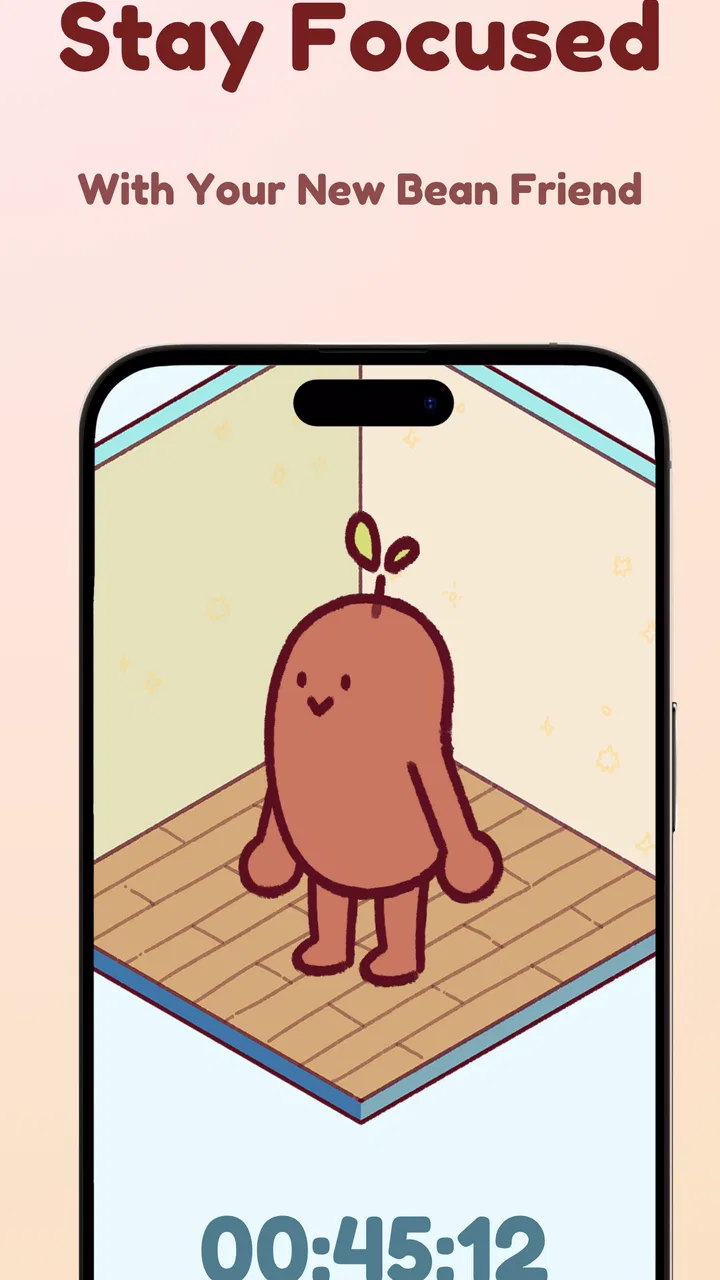
Developed by Honey B Games, this free productivity app has a cozy personality built around a simple idea: my focus session is connected to a Bean character. The store summary describes that relationship in a few words, but the practical appeal is easy to understand after using it. Instead of staring at a bare countdown, I get a small sense of companionship while I work. That makes the beginning of a session feel less severe than opening a traditional productivity tool full of settings, charts, and performance language.
The app is available to everyone and supports devices running Android 7.1 or later. It has reached over a million installs, with a 4.9 average from around 8.8 thousand ratings. Those figures suggest that the gentle presentation is not merely decorative; many people seem to find this kind of focus experience approachable. Still, popularity does not make it suitable for every workflow. The right question is whether a friendly timer helps me protect attention without becoming another thing I have to manage.
You May Also Like

 Blood Strike: 2.5 Anniversary
Blood Strike’s Loadouts Turn Every Drop Into a Tactical Gamble
A close look at Blood Strike’s custom loadouts: how fast access to signature weapons reshapes its battle royale rhythm, rewards preparation, and narrows the gap between fights.

 Pandora - Music & Podcasts
Pandora’s Music Is Easy to Start, but Harder to Recover
Pandora’s strength is its low-effort path from a seed to a station. Its weak spot is how much confidence it asks you to place in connection, setup, and quiet recovery.

 8 Ball Pool
 Is Built on Rivalries, Rematches, and Routine
A close look at the rivalries, rematches, shared routines, and unanswered safety questions that turn a quick pool match into a persistent mobile community.

 Samsung Music
’s Quiet Strength Is Playing What You Already Own
Its reach comes less from spectacle than from dependable access to a personal library. That simplicity is both the app’s strongest retention engine and its ceiling.

 AccuWeather: Weather Radar
AccuWeather Review: A Quick, Clear Forecast for Everyday Decisions
For everyday plans, the best forecast is the one you can understand quickly. AccuWeather makes rain timing, radar, and local conditions easy to act on, with a few trade-offs.

 Hill Climb Racing
Why Hill Climb Racing Still Turns Crashes Into One More Run
A tiny car, a bumpy hill and one more upgrade: Hill Climb Racing keeps resurfacing because its simple chaos makes every near-miss feel personal.
More From Our News Desk



Build the workflow before starting a session
My best results came from preparing outside the timer first. Before opening Focus Friend, I wrote down one visible outcome for the next work block: finish a paragraph, review a small group of notes, answer a specific set of messages, or clean up one section of a document. “Work on my project” is too vague. A cozy timer cannot solve an unclear task, and starting one without a defined finish line makes the session feel longer than it needs to be.
This is where the app fits into a sustainable productivity system. I use a notes app, paper, or an existing task manager for capture and planning, then use Focus Friend for the execution stage. That separation prevents the timer from becoming a storage box for every idea that appears during work. If I remember an unrelated errand, I record it in my normal inbox and return to the current task instead of changing screens and losing momentum.
There is also a useful emotional benefit to this preparation. A timer can create pressure when I use it as a test of discipline. The Bean presentation makes it easier for me to frame a session as a small promise rather than a judgment. I am not trying to prove that I can work endlessly; I am giving one task a protected period and allowing a natural stopping point afterward.
For study, I would prepare the exact material before starting: the chapter, problem set, or group of flashcards. For creative work, I would open the document and leave a short note describing the next action. For household administration, I would gather the bills or forms first. These small steps matter because the first minutes of a focus block are easily wasted on setup. The app is most effective when the setup has already been handled.
Use capture and organization without forcing the timer to do everything
One of the less obvious lessons from using this kind of app is that interruptions need a landing place. During a session, I may think of a purchase, a message I need to send, or a better idea for the task in front of me. If I follow each thought immediately, the timer becomes background decoration. I keep a single “later” note beside me and add short reminders without turning them into full tasks. At the end of the block, I decide what deserves action.
This workflow is especially helpful because the app’s strength is focus, not broad project management. I would not choose it as my only tool for deadlines, dependencies, shared work, or long-term planning. A conventional task manager is better for those jobs. Focus Friend earns its place after the work has been selected, when I need a simple boundary around my attention.
I also found it helpful to separate “must finish” sessions from “make progress” sessions. A small administrative task may have a clear completion point, while reading, outlining, or research may not. For the first type, I set a concrete result and stop when it is done. For the second, I define a quantity I can control, such as reviewing a section or producing a rough outline. This prevents the timer from encouraging unrealistic promises.
The Bean theme supports this approach because it gives the session a visible identity without requiring a complicated dashboard. I can think of each block as a small unit in a larger day. That is more sustainable than expecting one long burst of concentration to rescue an overloaded schedule. If I miss a session, I can restart with a smaller task instead of abandoning the whole routine.
Turn individual sessions into a repeatable routine
The app becomes more valuable when I attach it to a reliable cue. I might use it after making coffee, immediately after opening my study materials, or at the beginning of a quiet evening block. The cue removes one decision from the day. I do not need to negotiate with myself about whether to focus; the routine tells me what happens next.
I prefer beginning with one session rather than filling the day with back-to-back blocks. That leaves room for messages, meals, movement, and unexpected work. A timer can encourage overuse if I treat every minute away from it as wasted. The healthier pattern is to use it for work that benefits from protection, then return to normal life when the block ends.
For a realistic weekday example, I might spend a few minutes choosing the most important document task, open the document, and place unrelated thoughts in a quick capture note. I then start a Focus Friend session and work only on that document. When the session ends, I write a one-line continuation note, check the captured interruptions, and take a genuine break. If the task still matters later, the continuation note makes the next start easier.
That final note is a surprisingly useful habit. Without it, I often spend the next session rereading the last page or remembering why I stopped. With it, the timer becomes part of a chain rather than an isolated event. The app does not need to hold the whole history of the project for this to work; the important context stays with the project itself.
I would also avoid using the app for every kind of activity. A focused block is helpful for writing, studying, coding, sorting files, or handling a backlog of small messages. It is less useful during collaborative conversations, errands, meetings, or tasks that depend on frequent external responses. In those situations, the interruption is part of the work, not a distraction to eliminate.
Where the cozy approach helps, and where it can fail
The friendly design is the clearest difference from a plain countdown. Traditional timers can feel efficient but cold, especially when I am already tired or anxious about starting. Focus Friend lowers that emotional barrier. The Bean gives the session a little warmth, which can be enough to make a reluctant start feel manageable.
That same softness will not appeal to everyone. If I want detailed productivity analytics, complex scheduling, task dependencies, or a highly configurable interval system, I would look at a more specialized alternative. This app is not the right choice simply because it is pleasant. Its value depends on whether a calm, focused prompt is more useful to me than a dense collection of controls.
Another possible friction is the temptation to focus on the character instead of the work. Any visual reward or companion can become a small distraction if I keep checking it. My solution is to start the session and leave the phone alone. The app works best as a launch ritual, not as something I repeatedly inspect while concentrating.
There is also a practical trade-off around motivation. A timer can help me begin, but it cannot create energy when I am exhausted, remove a difficult decision, or make an unpleasant task meaningful. If I repeatedly fail to start, I first reduce the task and fix the plan rather than blaming the timer. Sometimes the correct response is sleep, a walk, or asking for help.
The free price makes experimenting easy, although optional in-app purchases range from ninety-nine cents to thirty-nine dollars and ninety-nine cents per item. I would approach those purchases carefully and decide whether they support my routine rather than buying out of momentary enthusiasm. The basic appeal of the app is its focus ritual, so I would test that habit first before spending anything.
Because the current version is 1.8.0, I would also keep expectations realistic about the app’s role. It feels like a focused companion rather than a full operating system for personal productivity. That is not a criticism by itself. In fact, limiting the job can be a strength when I already have trusted tools for notes, calendars, and project planning.
Who should adopt it, and who should choose something else
I would recommend Focus Friend to students who need a gentle way to begin revision, remote workers who struggle to create a boundary around home distractions, and anyone who finds stark productivity apps discouraging. It is also a good fit for people building a routine from scratch because the emotional entry cost is low. A short, repeatable session is easier to maintain than an elaborate system that requires constant upkeep.
It may be particularly useful for creative work. Writers, artists, and researchers often face a blank page rather than a clearly measurable task. The Bean companion does not judge the result, and the timer can protect the imperfect first stage where progress is more important than polish. I would pair it with a separate project note so that ideas, references, and next actions remain organized.
I would skip it if my main requirement is advanced planning or accountability across a team. A shared project platform, calendar, or more analytical focus tool would serve those needs better. I would also skip it if I dislike character-based interfaces or if even a small visual companion makes me want to interact with my phone. A plain timer may be more effective for someone who wants the least possible stimulation.
Privacy-conscious users may reasonably want to inspect the app’s current behavior and permissions on their own device before settling into a routine. I do not treat a focus timer as a reason to move sensitive work into a new ecosystem. I keep confidential material in the tools already approved for it and use the timer only to mark the work period.
The age rating of Everyone makes the app broadly approachable, but suitability still depends on the person using it. Younger students may benefit from pairing a session with a parent, teacher, or study plan, while adults may need to be careful not to turn timed work into an unhealthy measure of self-worth. The timer should support attention, not define personal value.
My recommendation after using it as part of a system
What I like most is the app’s narrow purpose. Focus Friend does not ask me to redesign my entire life before I can begin working. I choose the task elsewhere, start a session here, and return the result to my normal notes or task list. That keeps the tool understandable and makes it easier to repeat.
Its strongest practical tip is simple: prepare the next action before starting, keep a separate place for interruptions, and write a continuation note when the session ends. Those three habits turn a pleasant timer into a dependable workflow. Without them, I can still enjoy the Bean, but I am more likely to mistake activity for progress.
My honest view is that this is a good recommendation for people who need encouragement at the starting line, not for people searching for an all-in-one productivity command center. The cozy presentation gives it character, while the limited scope keeps it from becoming another complicated system to maintain. Use it as a gentle boundary around important work, not as a replacement for planning.
With a 4.9 average and more than a million installs, Focus Friend has clearly found an audience for this approach. I can see why: it makes focus feel less like punishment and more like a small daily practice. If that tone helps you begin, and you already have somewhere sensible to keep tasks and ideas, the free app is worth trying. If your needs center on detailed reports, team coordination, or deep customization, a conventional productivity alternative will probably be the better fit.
FAQs for Focus Friend by Hank Green
01What is Focus Friend by Hank Green, and how does it help with productivity?
Focus Friend is a productivity and focus app designed to make concentrated work sessions feel more approachable and rewarding. It uses a friendly bean character, timed focus sessions, and gentle visual feedback to encourage you to put your phone aside and work on one task. Rather than overwhelming you with complicated project-management tools, the app focuses on building a simple, repeatable concentration habit.
02How does a focus session work in Focus Friend?
After opening the app, you can begin a timed focus session and choose how long you want to work without distractions. During the session, the app encourages you to stay focused and avoid leaving unnecessarily. When the timer ends, you receive a sense of progress and can take a break before starting another session. This structure works well for studying, writing, reading, office tasks, or creative projects.
03Can Focus Friend block distracting apps or notifications?
Focus Friend is primarily a visual and motivational focus timer, so users should not assume that it replaces a full device-level app blocker. Depending on your phone and the app’s current features, it may encourage you to stay away from distracting applications, but notification blocking and strict access restrictions can vary. For stronger protection, you may need to combine it with Android Digital Wellbeing, iOS Focus modes, or another blocking tool.
04Is Focus Friend free to download, and are there in-app purchases?
The availability of free features, optional purchases, or subscription-based elements can change as the app is updated. Before downloading, check the current Google Play Store or Apple App Store listing for the latest pricing information, supported devices, and any premium features. The basic experience is intended to be easy to try, but users who want every customization or reward option should review the purchase details carefully.
05Who will benefit most from using Focus Friend?
Focus Friend is especially useful for people who struggle to begin tasks, frequently check their phones, or prefer encouragement over strict productivity systems. Students, remote workers, writers, and anyone practicing short work intervals may find its friendly presentation motivating. However, it may feel too simple for users who need detailed scheduling, team collaboration, task management, or advanced productivity analytics.
Pros
- Simple focus sessions make it easy to start working immediately.
- Friendly virtual companion adds motivation without overwhelming productivity tools.
- Short breaks help reduce fatigue during longer work periods.
- Clean interface is easy to understand for first-time users.
- Progress tracking can make consistent focus habits feel rewarding.
Cons
- Limited customization may not suit users with unusual work schedules.
- The companion-based approach may feel distracting to some users.
- Requires regular engagement to get meaningful value from the app.
- Fewer advanced planning tools than full-featured productivity apps.
- Some features or content may depend on in-app purchases.

Focus Friend by Hank Green
Gallery